• HOME
  • THE COMPANY
  • SERVICES
  • PROJECTS
  • BLOG
  • AUTHORS
    • OUR AUTHORS
    • WRITE FOR US
  • STORE
  • REQUEST QUOTE
  • CONTACT US
  • HOME
  • THE COMPANY
  • SERVICES
  • PROJECTS
  • BLOG
  • AUTHORS
    • OUR AUTHORS
    • WRITE FOR US
  • STORE
  • REQUEST QUOTE
  • CONTACT US
  1. Home
  2. Cybersecurity
  3. How to Lock Down Microsoft 365 and Google Workspace Admin Settings
Cybersecurity

How to Lock Down Microsoft 365 and Google Workspace Admin Settings

Stolen logins to work email and cloud accounts keep leading to breaches. This step-by-step guide shows small businesses how to harden Microsoft 365 and Google Workspace in an afternoon.

admin · October 21, 2026 · 4 min read
Translated automatically by Google
Read in 2 countries🇳🇬🇺🇸2 views
reading now🔥 0 shares
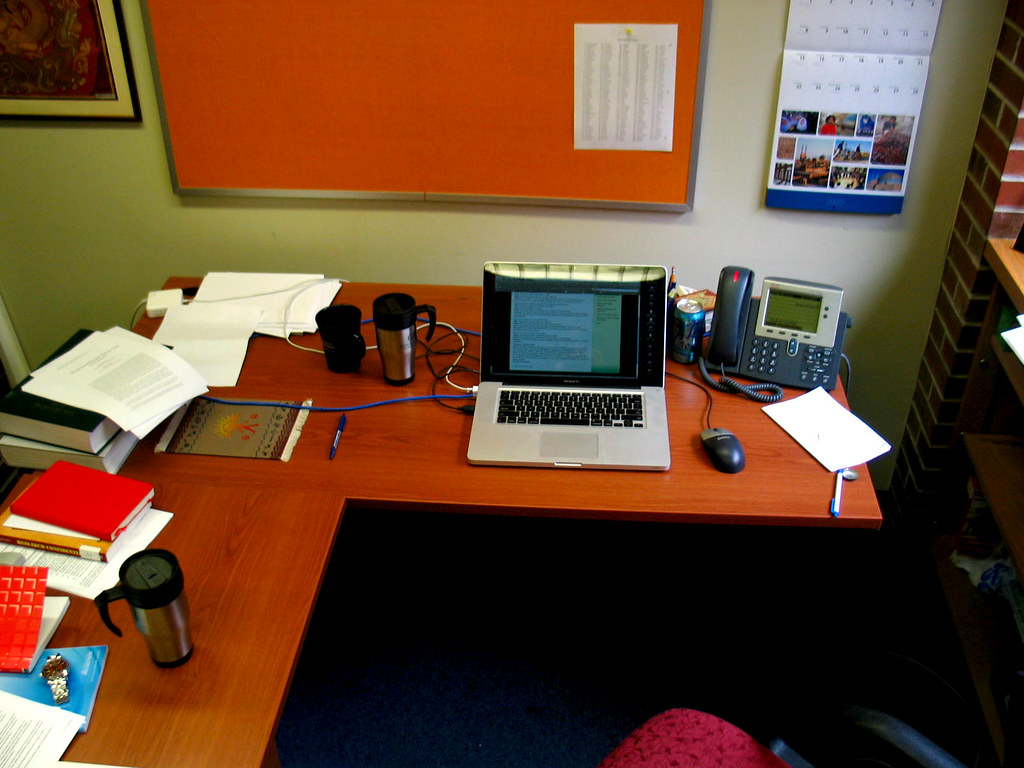
An employee working on a laptop in an office
Photo: "UF Norman Office Laptop Desk Workstation" by cdsessums, CC BY 2.0, via Openverse
In this article
  1. Step 1: Protect the admin accounts first
  2. Step 2: Enforce multi-factor authentication for everyone
  3. In Microsoft 365
  4. In Google Workspace
  5. Step 3: Close the side doors
  6. Step 4: Turn on alerts and check sign-in logs
  7. Step 5: Plan for the day a login is stolen
  8. Quick checklist
  9. Sources

Many of today’s breaches do not start with clever malware. They start with someone logging in. This month, Japanese media group Nikkei disclosed its third security incident in about a month: attackers used stolen credentials to reach a development system and exposed about 1.83 million records, around 150,000 of which contained personal details such as names and email addresses. Earlier incidents at the same company involved a hijacked Google Workspace account and a compromised Microsoft 365 account that was used to send spear-phishing emails to staff.

Small businesses use exactly the same platforms, often with default settings left untouched. The good news is that both Microsoft 365 and Google Workspace include strong protections, and most can be switched on by an administrator in an afternoon. This guide walks through the most important steps. You will need an account with administrator rights.

Step 1: Protect the admin accounts first

An attacker who controls an administrator account controls everything, so start here.

  1. Use separate admin accounts. Give administrators a dedicated admin login that is not used for daily email or browsing.
  2. Keep the number small. Two administrators is usually enough for a small business: one main and one backup, so you are never locked out.
  3. Turn on the strongest sign-in method available for those accounts, such as a hardware security key or an authenticator app, before anything else.
  4. Store a break-glass account securely: an emergency admin login, with its recovery details written down and kept offline.
A computer monitor showing settings on screen
Photo: “iPod touch Screens” by linusil, CC BY 2.0, via Openverse

Step 2: Enforce multi-factor authentication for everyone

Multi-factor authentication (MFA) means a stolen password alone is not enough to sign in. The key word is enforce: offering MFA as optional leaves gaps.

In Microsoft 365

  1. Sign in to the Microsoft Entra admin center (entra.microsoft.com).
  2. If you do not have advanced licences, make sure Security defaults are enabled. They require all users to register for MFA and block older, weaker sign-in methods.
  3. If your plan includes Conditional Access, create a policy that requires MFA for all users and all cloud apps, and test it on a small group first.

In Google Workspace

  1. Sign in to the Google Admin console (admin.google.com).
  2. Go to Security, then the 2-Step Verification settings.
  3. Allow users to turn on 2-Step Verification, give staff a short enrolment period, and then set enforcement to on.
  4. Where possible, restrict methods to security keys or the Google prompt rather than SMS codes.

Tell staff before you enforce MFA, and set a date. A short notice prevents a Monday morning full of lockouts.

RelatedHow to Check and Update Your Website’s PHP Version Safely

Step 3: Close the side doors

Attackers often bypass MFA through older protocols or connected apps.

  • Block legacy authentication. Older email protocols such as POP, IMAP and basic SMTP authentication may not support MFA. In Microsoft 365, Security defaults or a Conditional Access policy can block them. In Google Workspace, review the settings for less secure app access and IMAP for users who do not need them.
  • Review third-party app access. Staff may have granted outside apps permission to read mail or files. In Microsoft Entra, review Enterprise applications and consider requiring admin approval for new app consents. In the Google Admin console, open Security > Access and data control > API controls to see and restrict connected apps.
  • Stop automatic forwarding. Criminals who take over a mailbox often set a rule to copy all mail to an outside address. Disable automatic external forwarding unless there is a business need.

Step 4: Turn on alerts and check sign-in logs

You want to know quickly when something looks wrong.

  1. In Microsoft 365, review sign-in logs in the Entra admin center and alert policies in the Microsoft Defender portal (security.microsoft.com). Look for sign-ins from unexpected countries and new inbox rules.
  2. In Google Workspace, use Reporting > Audit and investigation for login events, and check Rules for alerts such as suspicious login and user granted admin privilege.
  3. Send alerts to a shared mailbox that more than one person checks.
  4. Set a recurring 15-minute weekly slot to skim the logs. Regular, small checks catch problems early.

Step 5: Plan for the day a login is stolen

Even with good controls, an account may be compromised. Prepare the response in advance:

  • Know how to reset a password and sign the user out of all sessions in your admin console.
  • Know how to revoke app tokens and remove suspicious inbox rules.
  • Write a one-page checklist listing who to call, including your IT provider and bank, if a mailbox is used for fraud.
  • Remove accounts promptly when staff leave, and transfer their data to a manager.

Quick checklist

  • Separate, protected admin accounts, kept to a minimum
  • MFA enforced for every user, not just offered
  • Legacy sign-in blocked and external forwarding disabled
  • Third-party app access reviewed
  • Alerts on and logs checked weekly
  • A written plan for a compromised account

Menu names change from time to time as Microsoft and Google update their consoles, so if a setting has moved, search for it by name inside the admin portal. The steps themselves remain among the most effective defences a small business can put in place.

Sources

  • BleepingComputer: Nikkei discloses third data breach in a month, 1.8M records exposed

Featured image: Photo: “UF Norman Office Laptop Desk Workstation” by cdsessums, CC BY 2.0, via Openverse — source

Found this useful? Pass it on

Share it with a friend, your team or your followers.

Send on WhatsAppText messageEmail

Was this article helpful?

Account securityGoogle WorkspaceHow-ToMFAMicrosoft 365small business

ShareFacebookXLinkedInWhatsAppTelegramRedditPinterestThreadsBlueskyEmail
Embed this on your website

Run a website, school, church or company intranet? Paste this code to show this article as a card. It stays up to date automatically.

Or show your visitors the latest scam alerts, updated automatically:

Written by

adminVerified expert

Cybersecurity Analyst — 20 years experience

Federal Capital Territory (Abuja)

  • Phising
  • Fraud Prevention
  • Cybersecurity Awareness and Training
  • Cloud Security
  • IT Risk Management

Credentials: MCPN, MNCS, IAENG | System Analyst · Web Developer · CEH · CC · CDST

View all 118 articles →

Got expertise to share? Write for us →
← PreviousCritical PHP Flaws Get Urgent Fix Today: What Site Owners Must Do Next →F5 Patches Critical NGINX Flaws: What Web Admins Should Do Now

Leave a Reply Cancel reply

Your email address will not be published. Required fields are marked *

Related articles

Cybersecurity
Cybersecurity

Outlook Zero-Day Leads Microsoft’s 1,000+ November Fixes: Patch Now

Microsoft's November 2026 Patch Tuesday fixes about 1,100 flaws, including an Outlook spoofing bug already used in attacks. The fix comes through Office updates,…

November 13, 2026 · 5 min read
AI Isn’t Changing How Attacks Work. It’s Changing How Fast
Artificial Intelligence

AI Isn’t Changing How Attacks Work. It’s Changing How Fast

Attackers still break in, move around and steal data the same way they always have. What AI has changed is the clock: exploits, phishing…

November 12, 2026 · 8 min read
Chrome Zero-Day Exploited in Attacks: Update to Chrome 157 Now
Cybersecurity

Chrome Zero-Day Exploited in Attacks: Update to Chrome 157 Now

Google has patched an actively exploited Chrome flaw, CVE-2026-125350, in version 157.0.8103.50. Here is what was fixed and how to make sure every computer…

November 12, 2026 · 5 min read
  • Microsoft 365 Outage Hits Outlook and Teams: What Businesses Should Do
    News Microsoft 365 Outage Hits Outlook and Teams: What Businesses Should Do November 13, 2026 · 5 min
  • C
    Cybersecurity Outlook Zero-Day Leads Microsoft’s 1,000+ November Fixes: Patch Now November 13, 2026 · 5 min
  • AI Isn’t Changing How Attacks Work. It’s Changing How Fast
    Artificial Intelligence AI Isn’t Changing How Attacks Work. It’s Changing How Fast November 12, 2026 · 8 min
  • 8GB or 16GB RAM? Buying a Laptop During the Memory Shortage
    Hardware 8GB or 16GB RAM? Buying a Laptop During the Memory Shortage November 12, 2026 · 5 min
  • Chrome Zero-Day Exploited in Attacks: Update to Chrome 157 Now
    Cybersecurity Chrome Zero-Day Exploited in Attacks: Update to Chrome 157 Now November 12, 2026 · 5 min
  • S
    Software How to Check and Update Your Website’s PHP Version Safely October 21, 2026 · 5 min
  • Developer writing code on a computer screen
    News Microsoft Ships Emergency .NET Fixes for Critical Brotli Flaw October 27, 2026 · 5 min
  • Scam Alert: Fake FRSC Traffic Fine Texts Are Emptying Bank Accounts
    Awareness Scam Alert: Fake FRSC Traffic Fine Texts Are Emptying Bank Accounts October 23, 2026 · 4 min
  • Hackers Are Tampering With Fridges and Cold Rooms: FBI, CISA Warn
    Cybersecurity Hackers Are Tampering With Fridges and Cold Rooms: FBI, CISA Warn November 8, 2026 · 5 min
  • New Shared robots.txt AI Training Opt-Out: What Site Owners Should Do
    Artificial Intelligence New Shared robots.txt AI Training Opt-Out: What Site Owners Should Do November 4, 2026 · 5 min

Scam alert board

  • Fake delivery texts asking you to pay a small fee.
  • "Your account is locked" emails with urgent links.
  • Calls from "tech support" asking for remote access.
  • Investment offers that guarantee returns.

More in Cybersecurity

  • C
    Cybersecurity Outlook Zero-Day Leads Microsoft’s 1,000+ November Fixes: Patch Now
  • AI Isn’t Changing How Attacks Work. It’s Changing How Fast
    Artificial Intelligence AI Isn’t Changing How Attacks Work. It’s Changing How Fast
  • Chrome Zero-Day Exploited in Attacks: Update to Chrome 157 Now
    Cybersecurity Chrome Zero-Day Exploited in Attacks: Update to Chrome 157 Now
  • Android phone showing its home screen
    Cybersecurity How to Turn On Play Protect and Advanced Protection on Android

Recent Posts

  • Microsoft 365 Outage Hits Outlook and Teams: What Businesses Should Do
  • Outlook Zero-Day Leads Microsoft’s 1,000+ November Fixes: Patch Now
  • AI Isn’t Changing How Attacks Work. It’s Changing How Fast
  • 8GB or 16GB RAM? Buying a Laptop During the Memory Shortage
  • Chrome Zero-Day Exploited in Attacks: Update to Chrome 157 Now

Recent Comments

No comments to show.
Get new posts & scam alerts by email Join our free list. No spam — unsubscribe anytime.
Send me:

Archives

  • November 2026
  • October 2026
  • September 2026

Categories

  • Artificial Intelligence
  • Awareness
  • Cybersecurity
  • Hardware
  • IT Developments
  • News
  • Scam Alert
  • Software

Follow us

Work with us

Need secure software, IT support or a security review?

Request a quote Contact us
  • HOME
  • THE COMPANY
  • SERVICES
  • PROJECTS
  • BLOG
  • STORE
  • REQUEST QUOTE
  • CONTACT US
Get scam alerts by email
© 2026 Mosravo Endless Solutions Publications
Get new posts & scam alerts by email Join our free list. No spam — unsubscribe anytime.
Send me:

Saved for later

    Saved on this device only.

    Email subscriptions

    Post & Scam Alerts

    Get new articles and urgent scam warnings in your inbox, before the scammers reach you.

    Get new posts & scam alerts by email Join our free list. No spam — unsubscribe anytime.
    Send me: