Ransomware Hits Outdated Synology NAS: Update DSM and Lock It Down
Synology warns that C3RB3R ransomware is encrypting files on NAS devices running outdated DSM. Here is how the attacks work, which versions are fixed and how to protect your office storage.

In this article
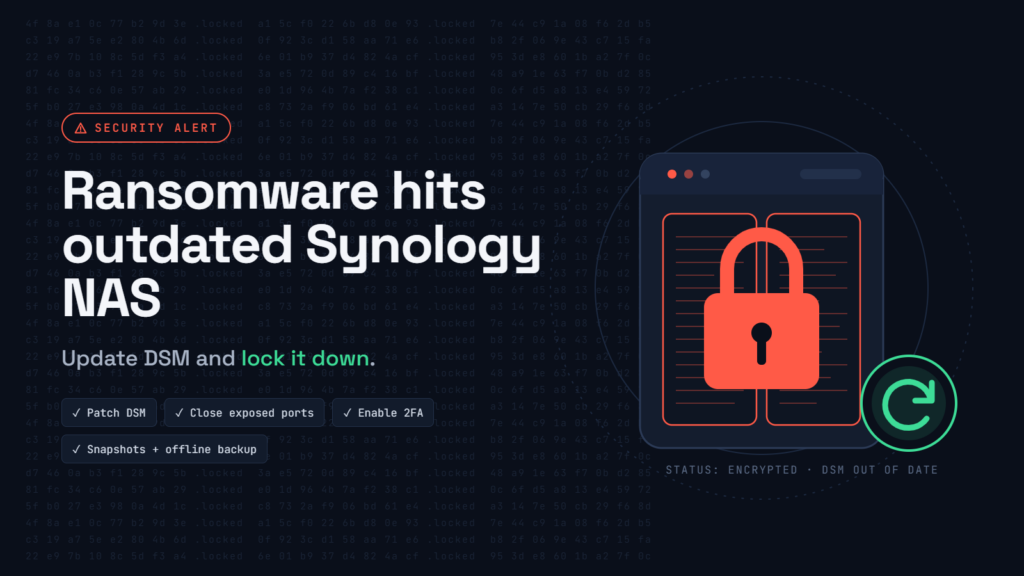
Network attached storage (NAS) boxes are the quiet workhorses of many small offices: they hold shared folders, accounting files, CCTV footage and often the company’s backups too. That makes them a prized target. Synology, one of the best-known NAS makers, is now warning customers that ransomware is encrypting devices running outdated versions of its DiskStation Manager (DSM) operating system.
This article is for business owners, office managers and IT support providers who look after a Synology NAS, or any NAS that can be reached from the internet.
What happened
In a statement dated 29 October 2026, Synology said threat actors are exploiting a vulnerability that was patched in December 2024, targeting devices that never received that update. The goal, the company said, is to encrypt data and demand a ransom. Synology pointed customers to its security advisory Synology-SA-24:20 and urged everyone to update DSM immediately and switch on automatic updates.
Device owners have reported infections on Synology’s community forums, and the security team at Qihoo 360 published an analysis of the malware involved, a ransomware strain called C3RB3R. The Hacker News reported the campaign on 3 November.
Two reports, two possible entry points
The details differ depending on who you ask, and it is worth being clear about that:
- Synology links the attacks to its November 2024 advisory, which includes CVE-2024-10441, a critical remote code execution flaw rated 9.8 that was fixed in December 2024.
- Qihoo 360 attributes the incidents it investigated to two newer critical flaws, CVE-2026-13639 and CVE-2026-13684, both rated 9.8 and patched by Synology on 18 September 2026 in advisory SA-26:13. They allow remote attackers to read and write files without logging in.
Analysts note the two reports may cover different victims, and the mismatch does not prove a new zero-day. The practical lesson is the same either way: a NAS that has missed either set of updates is at risk.
How C3RB3R behaves
According to Qihoo 360’s analysis, as reported by security outlets:
- It is described as a variant of the older Cerber ransomware family.
- It encrypts each file with its own key using the ChaCha8 cipher and protects the recovery information with RSA-2048.
- It skips 27 system folders and certain program and script file types so the NAS keeps running while files are encrypted.
- Encrypted files get a .L0CK3D extension (with a zero, not the letter O), and a ransom note named read-me3.txt appears in each affected folder, pointing to a Tor site.
NAS ransomware is not new. QNAP devices were hit by eCh0raix in 2019, and in 2021 Synology warned of brute-force attacks by the StealthWorker botnet. Attackers keep returning because so many storage boxes sit online, unpatched, for years.
Why this matters for small businesses
Many offices in Nigeria and across Africa buy a NAS once, have an installer forward a port on the router so staff can reach files from home, and then never log in to the admin page again. Updates pile up, the default admin account stays enabled, and the only “backup” is the RAID array inside the same box. If ransomware lands, everything is encrypted at once, including the backups stored on it. RAID protects against a failed disk, not against deletion or encryption.
Which DSM versions are safe
For the 2024 advisory, fixed releases include DSM 7.2.2-72806-1, 7.2.1-69057-6, 7.2-64570-4, 7.1.1-42962-7 and 6.2.4-25556-8 or later. For the September 2026 flaws, the minimum fixed builds cited by researchers are DSM 7.4-90075, 7.3.2-86009-4, 7.2.2-72806-9 and 7.2.1-69057-12. These are minimums, so install the latest update offered for your model.
How to check and update
- Sign in to DSM as an administrator.
- Open Control Panel > Update & Restore > DSM Update to see your current version and any available update.
- Install the update during a quiet period, then confirm the new version number.
- In the same section, set DSM to install important updates automatically.
- Open Package Center, update installed packages and remove any you no longer use.
Lock the NAS down
- Stop exposing DSM to the internet. Remove router port forwards to the DSM web interface and use a VPN for remote access instead.
- Harden accounts. Disable the default “admin” account, turn on two-factor authentication for administrators and enable automatic IP blocking after repeated failed logins.
- Turn on snapshots. Where your model supports it, enable scheduled, write-protected snapshots on shared folders so earlier versions of files survive.
- Keep an offline backup. Copy important data to a drive or service that is disconnected from the NAS and the office network. A backup attached to the same compromised storage is not a guaranteed way back.
If you are already hit
Disconnect the NAS from the network. Power it down only if you cannot isolate it, because shutting down loses evidence. Keep the ransom note, samples of encrypted files and a record of the DSM version and logs, then contact Synology Support or an incident response provider. Patching does not decrypt files, and paying offers no guarantee of recovery. Restore from clean backups only after the entry point has been closed.
What you should do
- Check your DSM version today and install the latest update.
- Switch on automatic DSM updates.
- Remove internet port forwards to the NAS and use a VPN.
- Disable the default admin account and enable two-factor authentication.
- Enable snapshots and keep at least one offline backup, and test a restore.
Sources
- Synology urges users to update DSM following ransomware attacks on outdated DSM versions
- Synology NAS Devices Targeted in Ransomware Attacks Exploiting Patched DSM Flaw (The Hacker News)
- C3RB3R ransomware is hitting Synology NAS devices: how to protect yours (IT-Connect)
- Synology NAS Ransomware Locks Files as Sources Disagree on Entry (Gridinsoft)
Was this article helpful?

adminVerified expert
Cybersecurity Analyst — 20 years experience
Federal Capital Territory (Abuja)
Credentials: MCPN, MNCS, IAENG | System Analyst · Web Developer · CEH · CC · CDST
Got expertise to share? Write for us →