OpenSSH ‘*sshole’ Flaw: Long Passwords Unlock Alpine Accounts
A newly disclosed OpenSSH bug lets an overlong password log in to locked accounts on musl-based Linux such as Alpine. Update to OpenSSH 10.6p2 or turn off password logins.

In this article
A newly disclosed OpenSSH weakness lets an attacker sign in to certain locked or key-only Linux accounts simply by typing an extremely long password. The bug, nicknamed “*sshole” by the researcher who found it, only affects systems built on the musl C library, such as Alpine Linux, but those systems are everywhere: in Docker containers, cloud images, routers and embedded devices. OpenSSH has already shipped a fix in version 10.6p2. This article explains who is exposed, how to check, and what to change today.
What happened
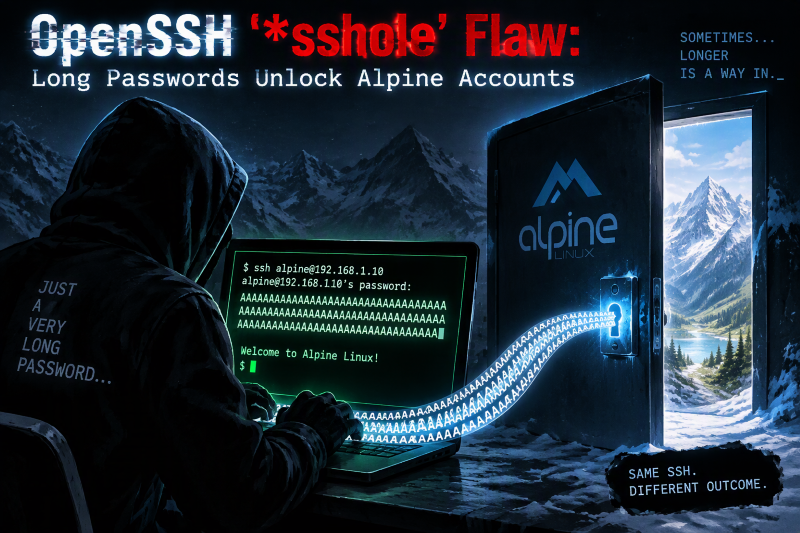
On 5 November 2026, security researcher Ozgun Kultekin published details of an authentication bypass in the way OpenSSH checks passwords on musl-based Linux systems. According to his write-up and reporting by BleepingComputer and The Register, an attacker can log in to an account whose password field in /etc/shadow is a single asterisk (*) by sending a password longer than 256 bytes. The researcher’s page describes passwords between 257 and 1,024 characters being accepted.
An asterisk in the shadow file is a long-standing Unix convention meaning “no password can ever match this account”. Administrators use it for accounts that should only sign in with SSH keys, for service accounts, and on Alpine for the root account. The flaw turns that “locked” marker into a password that any sufficiently long string can satisfy.
BleepingComputer reports that the researcher used AI agents to run roughly 17,600 authentication tests while hunting for the behaviour. The Register says there is no indication that vulnerable systems have been exploited so far, but full technical details and a checking tool are now public, so that window may not last.
How the bug works, in plain terms
Three separate design decisions, each reasonable on its own, combine to create the hole:
- musl’s crypt() returns “*” on failure. Since 2012, when musl’s password hashing function fails it returns the string
*rather than an empty value. - musl rejects passwords over 256 bytes. Its SHA-512 password hashing refuses very long inputs as a denial-of-service safeguard, and that refusal counts as a failure, so the function returns
*. - OpenSSH still hashes the attempt. A 2016 OpenSSH change, made to stop attackers discovering valid usernames by timing logins (CVE-2016-6210), makes sshd hash the supplied password even for accounts without a usable hash, borrowing a salt from another account that does have a real password.
Put together: the overlong password fails to hash, musl returns *, sshd compares that with the stored *, the two match, and the login succeeds.
Who is affected
Conditions that must all be true
Per the researcher and BleepingComputer, a system is only exposed when every one of these applies:
- OpenSSH is running on a musl-based distribution such as Alpine Linux, OpenWrt, Buildroot or Yocto, or in a container image built on one.
- PAM authentication is not in use. Alpine’s openssh-server package does not use PAM by default.
- SSH password authentication is enabled, which is OpenSSH’s default.
- At least one account has
*as its password hash. - At least one other account has a real password hash.
Cloud images deserve special attention
BleepingComputer notes that Alpine’s official AWS and Azure images include a default alpine account with passwordless doas rights. On those images, a successful bypass of that account could lead straight to root access.
Who is not affected
Systems using glibc, which includes Debian, Ubuntu and Fedora, are not affected, and neither are setups that authenticate through PAM. The researcher also lists the Dropbear SSH server and OpenBSD as unaffected, so embedded devices that run Dropbear rather than OpenSSH fall outside this issue.
Why this matters for African businesses and developers
Alpine is popular precisely because it is small. Many Nigerian and African startups, agencies and fintech teams use Alpine-based Docker images to keep cloud bills and image sizes down, and many small ISPs and hotspot operators run musl-based firmware on routers and access points. These systems are often set up once and forgotten. If any of them expose SSH to the internet with password logins switched on, they should be checked now rather than at the next maintenance window.
How to check your systems
- Find musl-based hosts and containers. List servers, VMs, containers and appliances running Alpine, OpenWrt, Buildroot or Yocto with OpenSSH installed.
- Check whether password login is on. Run
sshd -T | grep -i passwordauthenticationon each host. If it says yes, the host is a candidate. - Look for asterisk accounts. On Alpine, BleepingComputer suggests
grep '^alpine:' /etc/shadow; more broadly, look for any account whose second field is*. - Review logs. Search authentication logs for password logins to accounts that should never accept one. On Alpine,
grep "Accepted password" /var/log/messagesis a starting point. A successful password login for an account with*in its shadow field is a red flag. - Use the researcher’s checker. The disclosure page links a checking tool on GitHub; review it before running it in production.
What you should do
- Update OpenSSH to 10.6p2 or later. On Alpine, run
apk upgrade opensshand restart sshd. Rebuild Docker images so containers do not keep shipping the old package. - If you cannot update yet, turn off password logins. Add
PasswordAuthentication noto a file in /etc/ssh/sshd_config.d/ (or to sshd_config) and restart the SSH service. Make sure your key-based access works first so you do not lock yourself out. - Do not expose SSH to the whole internet. Restrict it with a firewall, VPN or allow-list of office IP addresses.
- Treat suspicious logins as an incident. If logs show unexpected password logins, rotate keys and credentials, check for new users or cron jobs, and rebuild the host from a clean image where possible.
- Ask your vendors. If you rely on routers or appliances built on OpenWrt or Yocto, ask the vendor whether they ship OpenSSH and when a firmware update is due.
Key-only SSH with password logins disabled has long been best practice. This bug is a sharp reminder of why: an account you believe is locked may not be, and the simplest defence is not to accept passwords over SSH at all.
Sources
- BleepingComputer: OpenSSH flaw lets attackers log into password-disabled Linux accounts
- *sshole: researcher’s technical disclosure
- The Register: Get root on a musl Linux system with an overly long password
Featured image: Photo: “Inside Introduction to the Command Line” by OsamaK, CC BY-SA 2.0, via Openverse — source
Was this article helpful?

adminVerified expert
Cybersecurity Analyst — 20 years experience
Federal Capital Territory (Abuja)
Credentials: MCPN, MNCS, IAENG | System Analyst · Web Developer · CEH · CC · CDST
Got expertise to share? Write for us →