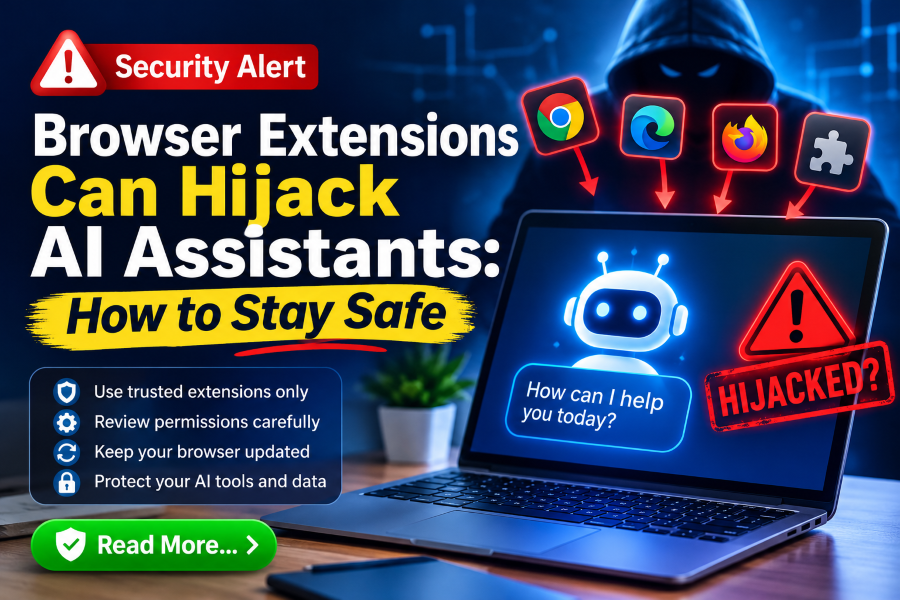
Browser Extensions Can Hijack AI Assistants: How to Stay Safe
Researchers showed a single browser extension could take over AI assistants in popular browsers and desktop apps. Here is what that means and the practical steps that reduce the risk.

In this article
- Key takeaways
- Why extensions and AI agents are a risky mix
- What the September research found
- Results by product
- The new Dispatch report
- How Anthropic responded
- What this means for businesses
- A short action plan for SMEs
- Frequently asked questions
- Is my AI assistant hacked right now?
- Are extensions from official stores safe?
- Should we ban AI tools at work?
- Next steps
- Sources
AI assistants are moving from chat windows into browsers and desktop apps where they can click, type, read files and even run commands. That is useful, but it also changes the risk of something most people ignore: browser extensions. Two pieces of research published this autumn show how an ordinary extension could quietly take over an AI assistant. This practical guide is for business owners, IT staff and anyone using AI tools at work.
Key takeaways
- Researchers at Forever Security showed that a single browser extension could hijack AI assistants in Chrome, Edge, Perplexity Comet, Opera Neon and Claude in Chrome.
- A newer report, published on 6 November, says the same kind of extension could send instructions to Claude Desktop through Anthropic’s Dispatch feature.
- These were researcher demonstrations. No real-world attacks were reported.
- The fix is mostly good hygiene: keep browsers updated, cut back extensions, and switch off AI features you do not use.
Why extensions and AI agents are a risky mix
A browser extension with permission to read and change web pages can see and alter almost anything you do in that browser. Until recently, the worst case was stolen passwords or injected adverts. Now, when an AI assistant takes instructions from a web page or a signed-in session, an extension that can tamper with that page may be able to give the assistant orders as if they came from you. If the assistant can open files, use your camera, browse on your behalf or run commands, the extension inherits that power.
What the September research found
The Hacker News reported on 16 September that Forever Security tested five Chromium-based products. Their extension needed only two common permissions: one to change web pages and one (declarativeNetRequest) to change network traffic. With these, it injected code into the trusted page each AI feature listened to.
Results by product
- Gemini Live in Chrome: the researchers could read local files, use the camera and microphone and take screenshots. Google fixed this as CVE-2026-0628 in Chrome 143.0.7499.192 in early January 2026.
- Perplexity Comet: described as the worst case, with file reading, agent control and access to browsing history.
- Microsoft Edge: agent control only; fixed as CVE-2026-55945 in Edge 150.0.4078.48 on 2 July.
- Opera Neon and Claude in Chrome: agent control only, with no fix dates given for the specific method.
The new Dispatch report
On 6 November, The Hacker News reported further Forever Security research, written up by Gal Weizman, on Dispatch, a feature that lets people send tasks from their phone to Claude Desktop. The researchers say Dispatch accepted an ordinary signed-in claude.ai browser session. That meant an extension able to run scripts on claude.ai could send instructions to Claude Desktop, which can run commands on the computer.
In their test, a script sent prompts asking Claude to install a software package, and automatically clicked “Allow” on approval prompts. The package then opened the Calculator app, a harmless stand-in for what the researchers say could have been file theft or a backdoor. The attack required a malicious extension already installed, the user signed in to both claude.ai and Claude Desktop, Dispatch turned on, and the computer awake with the desktop app open.
How Anthropic responded
According to the report, the researchers notified Anthropic on 14 May. Anthropic accepted the report as valid but closed it as a duplicate of an issue it had already found internally, and on 13 October told the researchers Dispatch would be retired, targeting the end of October. The article says Dispatch is closed to new users. The researchers also suggested similar risks might apply to other remote-control features but had not tested them.
What this means for businesses
The lesson is not “stop using AI”. It is that AI tools with real permissions should be treated like any other powerful software. The weakest link is often an extension someone installed long ago and forgot about, which may since have been updated with new permissions.
A short action plan for SMEs
- Audit extensions. On each work browser, open the extensions page and remove anything nobody can explain. Pay special attention to extensions that can read and change data on all websites.
- Control installs. If your work browsers are centrally managed, set an allow-list of approved extensions.
- Update browsers. Make sure Chrome is on 143.0.7499.192 or later and Edge on 150.0.4078.48 or later, and that automatic updates are on.
- Turn off unused AI features. Disable cross-device or remote-task features you do not need. If you do need them, review which devices are paired and remove old ones.
- Do not auto-approve. Read approval prompts from AI agents before clicking “Allow”, especially prompts to install packages or run commands.
- Watch agent activity. The researchers recommend monitoring AI agents for unexpected package installs, setting changes, credential access and outside connections.
- Separate profiles. Use a clean browser profile, with few or no extensions, for AI tools and sensitive work such as banking.
Frequently asked questions
Is my AI assistant hacked right now?
Very unlikely. The research describes possible attacks that require a malicious extension already installed. There was no public evidence of these methods being used in real attacks.
Are extensions from official stores safe?
Store review helps, but it does not guarantee an extension will stay safe after later updates. Fewer extensions means fewer chances for trouble.
Should we ban AI tools at work?
Bans often push staff to personal accounts you cannot manage. A clear policy on approved tools, extensions and settings is usually more effective.
Next steps
- Spend ten minutes today removing unused browser extensions on your work devices.
- Check your browser version and turn on automatic updates.
- List the AI tools your team uses and switch off remote-control or cross-device features nobody needs.
- Agree a simple rule: no one clicks “Allow” on an AI agent’s request without reading what it will do.
Sources
- The Hacker News: Malicious browser extensions could use Claude Dispatch to run code
- The Hacker News: One extension could hijack AI assistants across Chrome, Comet, Edge, Opera Neon and Claude
Featured image: Photo: “PSP Web Browser” by wyzik, CC BY 2.0, via Openverse — source
Was this article helpful?

adminVerified expert
Cybersecurity Analyst — 20 years experience
Federal Capital Territory (Abuja)
Credentials: MCPN, MNCS, IAENG | System Analyst · Web Developer · CEH · CC · CDST
Got expertise to share? Write for us →