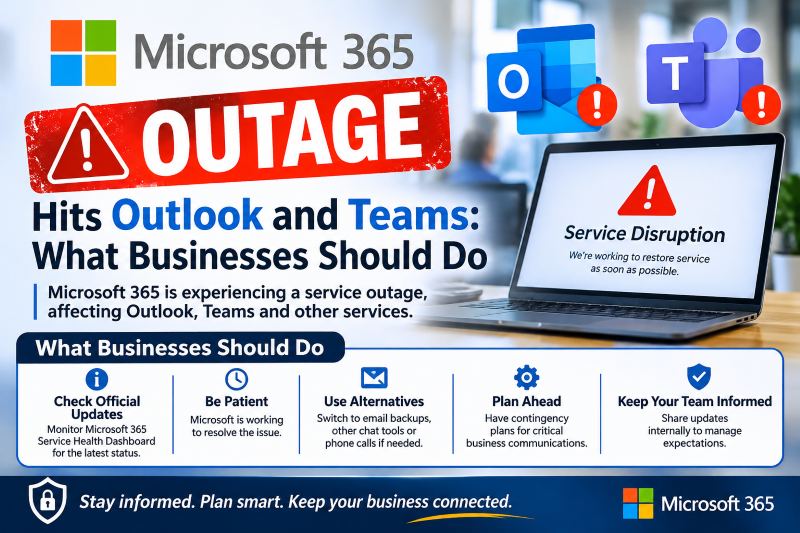
Microsoft 365 Outage Hits Outlook and Teams: What Businesses Should Do
A worldwide Microsoft 365 outage on 12 November disrupted Outlook, Exchange Online, Teams and Copilot. Here is what Microsoft says went wrong and how to keep your business running next time.

In this article
On Thursday, 12 November 2026, millions of people found they could not open their mailboxes, send Teams messages or reach shared files. A large Microsoft 365 outage disrupted Outlook, Exchange Online, Teams, SharePoint Online, Microsoft 365 Copilot and Defender XDR across several regions, and Microsoft later said users anywhere could be affected.
This article explains what happened, whether it was a cyberattack, and the practical steps small and medium businesses can take so that the next cloud outage does not stop work entirely.
Key takeaways
- The outage began on 12 November with Exchange Online mailbox connection problems in the Americas and spread to other Microsoft 365 services.
- Microsoft says a large number of servers became unavailable and failed automated health checks, overloading the servers that remained. It says traffic itself did not increase.
- Microsoft has reported no sign of malicious activity. Treat this as a service failure, not a breach, unless your own logs say otherwise.
- Recovery was gradual and still continuing into early 13 November, with Microsoft warning that some servers could fail again under load.
- Admins can follow incidents EX1550543 and MO1550821 in the Microsoft 365 admin center.
What happened
According to BleepingComputer and SecurityWeek, Microsoft first investigated users in the Americas who could not connect to Exchange Online mailboxes. Separately, a Teams incident that morning delayed or failed messages for users in North and South America; Microsoft says that one was fully resolved. Shortly after, Microsoft opened a wider incident covering Exchange Online, Teams, SharePoint Online, Microsoft 365 Copilot and Defender XDR, warning that customers might be unable to connect.
Outage tracker Downdetector recorded a peak of roughly 130,000 reports for Outlook alone, according to Tom’s Guide. Some Google Workspace users who read their mail through the Outlook desktop and mobile apps also reported trouble.
What Microsoft says caused it
Microsoft’s explanation evolved through the day. It first described elevated load on its infrastructure across multiple regions, then clarified that the load did not come from more traffic but from servers unexpectedly dropping out of service, leaving the rest to carry the weight. Later updates said a core process on the affected servers was becoming overwhelmed and that the servers were failing automated health checks.
To recover, Microsoft paused all deployments, redistributed traffic, restarted affected servers, looked at reverting a small number of recent configuration changes, and validated an alternative health-check method so that servers could return to service. As of the latest updates we reviewed, Microsoft had not published a final root cause.
Was it a cyberattack?
No evidence points to one. Microsoft’s service advisories reported no malicious activity. SecurityWeek noted the outage came two days after November’s Patch Tuesday, which fixed an exploited Outlook spoofing flaw, but Microsoft has not linked that bug to the outage.
Outages are still a favourite moment for scammers. Expect fake “Microsoft 365 account suspended” or “verify your mailbox to restore access” emails and texts. Microsoft will not ask you to sign in through a link in a message to fix an outage.
Who was affected
Any organisation using Microsoft 365 could be hit, including many Nigerian and African SMEs, banks, schools and government offices that rely on Outlook and Teams for daily work. Businesses that run invoicing, approvals or customer service through shared mailboxes felt it most, because email and file access were both disrupted at the same time.
How to keep working during the next outage
No cloud service is immune to outages. The goal is not to avoid them, but to make sure your team knows what to do when they happen.
Before an outage
- Know where to check status. Bookmark the Microsoft 365 Service health page in the admin center and the official Microsoft 365 Status account, so you can confirm quickly whether the problem is yours or Microsoft’s.
- Agree a backup channel. Choose an approved alternative for urgent internal messages, such as a company WhatsApp group or phone tree, and write it down.
- Keep key files available offline. In OneDrive, mark critical folders as Always keep on this device on the laptops that need them.
- Keep a contact list outside email. Store phone numbers for key customers, suppliers and your IT support somewhere other than Outlook.
During an outage
- Tell staff clearly that it is a service outage, not a security incident, and share the approved workaround.
- Avoid repeatedly resetting passwords or reinstalling Office; it will not fix a server-side problem.
- Warn staff about outage-themed phishing.
After service returns
- Check integrations and automations that use Exchange Online, SharePoint or OneDrive for failed or queued tasks.
- Confirm important emails sent during the outage actually arrived.
- Review identity and sign-in alerts as normal, and investigate only if something looks unusual.
What you should do
- If anything still looks broken, check incidents EX1550543 and MO1550821 in the Microsoft 365 admin center before troubleshooting your own devices.
- Ignore any email or text asking you to “re-verify” your Microsoft account because of the outage.
- Use this incident to write a one-page outage plan: where to check status, how staff will communicate, and which files must be available offline.
Sources
- BleepingComputer: Massive Microsoft 365 outage disrupts Outlook, Teams, Copilot worldwide
- SecurityWeek: Microsoft 365 Outage Disrupts Outlook, Exchange Online and Teams
- Tom’s Guide: Outlook, Microsoft 365, Teams down live updates
- Cypro: Microsoft 365 Outage: What Happened on 12 November
Featured image: Photo: “UF Norman Office Laptop Desk Workstation” by cdsessums, CC BY 2.0, via Openverse — source
Was this article helpful?

adminVerified expert
Cybersecurity Analyst — 20 years experience
Federal Capital Territory (Abuja)
Credentials: MCPN, MNCS, IAENG | System Analyst · Web Developer · CEH · CC · CDST
Got expertise to share? Write for us →