Phishing vs Spoofing: How to Identify Both Attacks Online
Phishing and spoofing work together to trick people into handing over passwords, money and personal data. This guide explains the difference, the warning signs and the simple checks that keep you safe.


In this article
- Key takeaways
- What is phishing?
- Common types of phishing
- What is spoofing?
- Main types of spoofing
- Phishing vs spoofing: how they differ and overlap
- A typical combined attack
- Warning signs: how to identify a phishing or spoofing attempt
- In the message itself
- In links and addresses
- Why polished writing is no longer reassuring
- How to protect yourself
- Extra habits that help
- For businesses: stop criminals spoofing your brand
- Train for the real world
- What to do if you clicked or shared details
- FAQ
- Is spoofing illegal?
- Can my own email address be spoofed?
- Are text messages safer than email?
- What if a message uses my real name and account details?
- Next steps
- Sources
The internet is now part of how we bank, shop, work and talk to family, and that makes it a busy hunting ground for criminals. Two of their favourite tools are phishing and spoofing. Both aim to trick you into handing over something valuable: a password, a one-time code, card details, your BVN or simply a bank transfer. This guide is for everyday internet users, small business owners and staff who handle email, payments or customer accounts. You do not need to be a technical expert. A few clear habits will protect you from most of these attacks.
Key takeaways
- Spoofing is the disguise; phishing is the con. Spoofing fakes who a message, call or website appears to come from. Phishing is the attempt to get you to act on it.
- Urgency is the biggest red flag. Messages that threaten account closure, fines or missed opportunities are designed to stop you thinking.
- Good grammar no longer proves a message is real. AI tools now help criminals write clean, convincing messages.
- Never use the contact details inside a suspicious message. Verify through a website address you type yourself, your bank’s official app or a number you already know.
- No genuine bank will ask for your PIN, password, OTP or BVN through a link.
- Businesses can make their own email harder to fake by setting up SPF, DKIM and DMARC on their domain.
What is phishing?
The FBI describes phishing as unsolicited emails, text messages or calls that pretend to come from a legitimate organisation in order to get personal, financial or login information. The name comes from “fishing”: the attacker casts out bait and waits for someone to bite.
A phishing message usually asks you to do one of a small number of things: click a link, open an attachment, reply with information, call a number or send money. The link may lead to a fake login page that captures what you type. The attachment may install malicious software that gives the attacker access to your device.
Common types of phishing
- Email phishing: the classic version, sent in bulk to thousands of addresses in the hope that a few people respond.
- Spear phishing: a targeted message aimed at a specific person or business, often using names, job titles or recent events to look believable.
- Smishing: phishing by SMS. Fake “account suspended” or “parcel held” texts are typical examples.
- Vishing: phishing by voice call, where someone poses as your bank, a government agency or your IT department.
- Chat and social media phishing: messages through WhatsApp, Telegram, Facebook or workplace tools such as Slack. Joint guidance from CISA and the FBI noted that hybrid workplaces that rely on these platforms are especially exposed to credential theft.
What is spoofing?
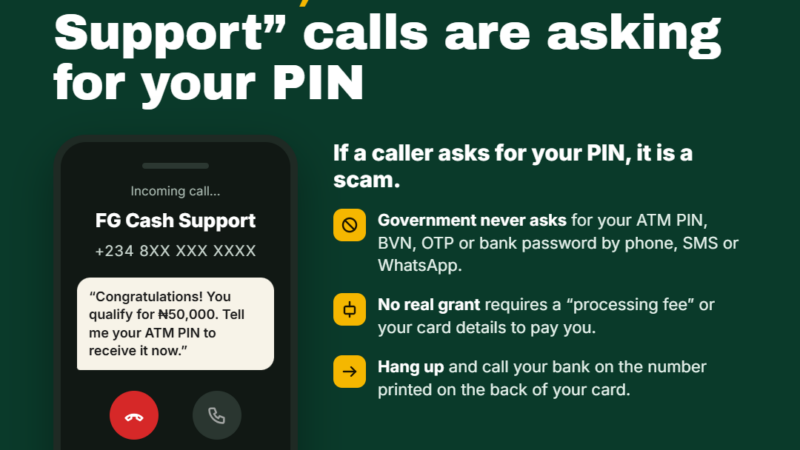
Spoofing is the act of deliberately faking contact details so they look as if they come from someone you trust. According to the FBI, that can mean a phone number, an email address or a website. In one FBI example, a caller ID displayed the name of an FBI field office even though the caller could have been anywhere in the world.
Spoofing is about appearance. It does not steal anything by itself. Instead, it lends false credibility to a request, which is why it so often appears together with phishing.
Main types of spoofing
- Email spoofing: the “From” name or address is forged to look like your bank, your boss or a supplier. Sometimes the address is a near copy, such as a single swapped letter.
- Caller ID spoofing: the number or name on your screen is faked. CISA and FBI guidance highlights this in voice-based phishing.
- Website spoofing: a cloned site copies the logo, colours and layout of a real one. In Nigeria, banks’ trade association recently warned about a text message that sent customers to a cloned internet banking site built to capture logins, BVNs, card details and transaction PINs.
- Lookalike domains: web or email addresses that differ from the real one by a character or two. CISA gives “amazan.com” as an example of the kind of misspelling to watch for.
- Social media impersonation: fake accounts posing as brands or customer service teams. One Nigerian bank reported more than 70 fake accounts impersonating it and its digital platform on X earlier this year.
Phishing vs spoofing: how they differ and overlap
It helps to think of spoofing as the costume and phishing as the trick. A spoofed sender name gets your attention and lowers your guard. The phishing request, such as “confirm your details here”, does the damage.
- Goal: spoofing aims to look trustworthy; phishing aims to get you to act.
- Method: spoofing manipulates identity information (names, numbers, addresses, web pages); phishing manipulates people, mainly through emotion and urgency.
- Can they happen separately? Yes. A phishing email can come from an obviously odd address with no spoofing at all, and spoofing can be used in other attacks such as fake payment instructions. But the most convincing scams combine both.
A typical combined attack
- You receive a text that appears to come from your bank’s usual sender name.
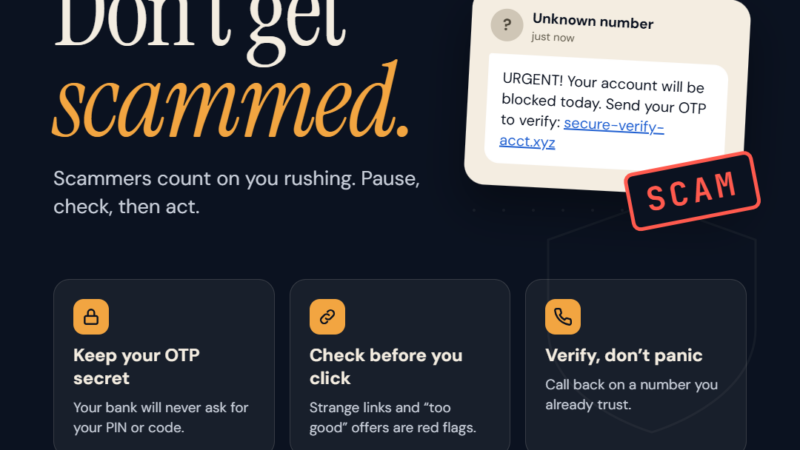
- It says your account will be restricted unless you “verify” today.
- The link opens a page that looks exactly like your bank’s login screen.
- You enter your username, password and then an OTP the attacker triggers in real time.
- The attacker logs in to the real bank and moves your money before you notice.
Warning signs: how to identify a phishing or spoofing attempt
No single sign is proof, but the more of these you see, the more careful you should be.
In the message itself
- Urgent or emotional language, especially threats of serious consequences if you do not act immediately. CISA lists this as a leading sign.
- Requests for sensitive information such as PINs, passwords, OTPs, CVVs or BVNs.
- Unexpected requests to “verify”, “reactivate” or “secure” an account.
- Offers that seem too good to be true: prizes, refunds, discounts or jobs you never applied for.
- Personal details used as bait. Banks’ communications professionals warn that a message can look real because it includes your name, phone number or your bank’s logo. Those details are often leaked or easy to find.
In links and addresses
- Misspelled or lookalike domains, extra words or odd endings in a web address.
- Shortened links you cannot inspect.
- A display name that says one thing while the actual email address says another.
- Reply-to addresses that differ from the sender.
Why polished writing is no longer reassuring
For years people were told to look for bad spelling. CISA now cautions that clean grammar no longer reliably means a message is genuine, because AI tools can produce well-written text in seconds. Judge the request, not the writing quality.
How to protect yourself
CISA’s advice comes down to three steps: resist, delete and verify.
- Resist. Do not click links or open attachments in messages that push you to act fast or ask for personal information.
- Delete. Remove suspicious messages. Do not reply and do not click anything inside them, including “unsubscribe” links.
- Verify. If a message might be real, contact the organisation using a website address you type yourself, its official app or a phone number you already trust. Never use the number or link in the message.
Extra habits that help
- Turn on multi-factor authentication for email, banking and social media. CISA and the FBI recommend strong MFA, especially on internet-facing accounts.
- Keep antivirus and anti-malware tools installed and set to update automatically, as the FBI advises.
- Keep your phone, computer and apps up to date.
- Never send money or gift cards to someone you do not personally know and trust.
- Save your bank’s official customer service numbers in your phone now, so you are not searching for them in a panic.
For businesses: stop criminals spoofing your brand
If you run a business, criminals may impersonate you to cheat your customers or suppliers. Three email standards make that much harder:
- SPF lists which servers are allowed to send email for your domain.
- DKIM adds a digital signature that receiving servers can check.
- DMARC tells receiving servers what to do with mail that fails those checks, from monitoring only to quarantine or outright rejection.
CISA and FBI guidance specifically recommends DMARC to help prevent spoofing. A sensible path is to start DMARC in monitoring mode, read the reports and tighten the policy gradually once you are sure all your genuine senders pass. Combine this with email and DNS filtering, regular staff awareness training and a written plan for what to do if someone clicks.
Train for the real world
Run short, regular sessions that use realistic examples: fake bank texts, supplier “change of account” emails and calls from people claiming to be IT support. Reward staff who report suspicious messages, even if they turn out to be harmless. A culture where people feel safe saying “I’m not sure about this” stops more attacks than any single tool.
What to do if you clicked or shared details
- Act immediately. If you entered banking details, contact your bank through its official app or published number and ask it to secure the account and block affected cards.
- Change passwords for the affected account and any other account that uses the same password.
- Sign out of other sessions and review recovery email addresses and phone numbers for changes.
- Scan your device if you opened an attachment or installed anything.
- Report it. Use the “report phishing” or “report spam” option in your email app, tell your IT team at work, and report fraud to your bank and the relevant authorities.
FAQ
Is spoofing illegal?
Spoofing used to deceive people for financial gain or to steal information is part of fraud. Some number masking has legitimate uses, which is why you should judge the request rather than the caller ID alone.
Can my own email address be spoofed?
Yes. A criminal can forge your address in the “From” field without accessing your account. If contacts receive odd emails “from you”, check your account security, and if you own the domain, set up SPF, DKIM and DMARC.
Are text messages safer than email?
No. Smishing is common, and sender names on SMS can be faked. Treat links in texts with the same caution as links in email.
What if a message uses my real name and account details?
That does not prove it is genuine. Criminals often use leaked or publicly available details to appear credible. Verify through official channels.
Next steps
- Today: turn on multi-factor authentication for your email and banking apps.
- This week: save your bank’s official contact numbers and share this guide with family members who are new to online banking.
- For business owners: check whether your domain has SPF, DKIM and DMARC records, and plan a short phishing awareness session for staff.
- Always: pause, verify through a channel you trust, and report anything suspicious.
Sources
- CISA: Recognize and Report Phishing
- FBI: Protecting Yourself from Spoofing and Phishing Scams
- Cyber Security News: CISA and FBI detail phishing techniques
- Nairametrics: ACAMB advises bank customers against phishing scams
- WebDogs: Set Up SPF, DKIM and DMARC for Google Workspace
Featured image: Photo: “Jumping-Spider,on-fish-hook-eyes_2012-08-02-16.13.51-ZS-PMax” by Sam Droege, public domain, via Openverse — source
Was this article helpful?

adminVerified expert
Cybersecurity Analyst — 20 years experience
Federal Capital Territory (Abuja)
Credentials: MCPN, MNCS, IAENG | System Analyst · Web Developer · CEH · CC · CDST
Got expertise to share? Write for us →