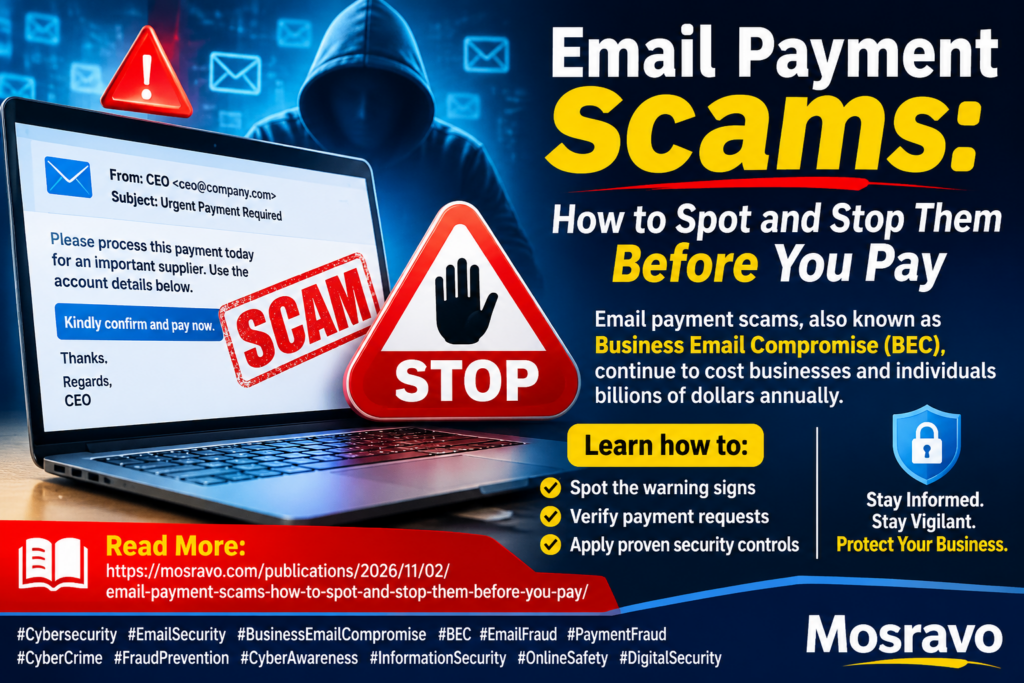
Email Payment Scams: How to Spot and Stop Them Before You Pay
Email payment scams, also called business email compromise, cost victims billions every year. Learn how they work, the warning signs and the controls that stop them.

In this article
- Key takeaways
- What is an email payment scam?
- How big is the problem?
- How email payment scams work, step by step
- The most common variants
- How AI is changing the scam
- Warning signs to look for
- In the email itself
- In your systems and accounts
- Real cases and what they teach
- How to protect yourself and your business
- 1. Make phone verification non-negotiable
- 2. Use two people for payments
- 3. Lock down your email accounts
- 4. Train the people who move money
- 5. Agree payment rules with suppliers and customers
- 6. Watch the domain names around you
- What to do if you have been scammed
- Frequently asked questions
- Is BEC only a problem for big companies?
- Our supplier’s email genuinely came from their address. Can it still be a scam?
- Can stolen money be recovered?
- Will email security software stop these attacks?
- What you should do this week
- Sources
An email lands in your accounts inbox. It looks like it comes from a supplier you pay every month, or from your managing director, and it asks for something ordinary: settle this invoice, note our new bank details, process this transfer before the end of the day. Nothing about it looks unusual. That is exactly why email payment scams work so well, and why they remain one of the most expensive forms of cybercrime in the world.
This guide is for business owners, finance and accounts staff, procurement teams, executives and their assistants, and anyone who sends or approves payments by email, whether you run a five-person shop in Aba or a mid-sized company in Lagos, Nairobi or Accra. It explains how these scams work, the warning signs to look for, real cases, and the practical controls that stop them.
Key takeaways
- Email payment scams, also called business email compromise (BEC), cost reported victims more than $3 billion in 2025, according to the FBI’s Internet Crime Complaint Center (IC3). Only investment fraud caused bigger losses.
- The email often looks real because it sometimes is real. Criminals frequently break into a genuine mailbox, or create an address that differs by one character.
- The most dangerous request is a change of bank details. Treat every such request as suspicious until you have confirmed it by phone using a number you already had.
- Urgency and secrecy are the classic pressure tactics. “Pay today” and “keep this between us” are reasons to slow down, not speed up.
- Speed matters if you are hit. Call your bank immediately to request a recall; the first hours give you the best chance of freezing funds.
What is an email payment scam?
An email payment scam is any fraud where a criminal uses email to trick a person or business into sending money to an account the criminal controls. The FBI describes business email compromise as a scheme that targets businesses and individuals who make transfers, where criminals take over or impersonate legitimate email accounts through social engineering or computer intrusion.
Unlike a mass phishing email full of spelling errors, a BEC message is usually targeted. The criminal studies who pays whom, how invoices are worded, and when payments normally go out. The goal is not to steal your password for its own sake; it is to get one well-timed payment redirected.
How big is the problem?
The FBI’s 2025 Internet Crime Report, released in April 2026, recorded about 1,008,597 complaints and reported losses of roughly $20.9 billion across all internet crime categories. Business email compromise accounted for about $3.05 billion of those losses, making it the second-costliest category after investment fraud. The IC3 counted 24,768 BEC complaints, which means the average loss per reported case is very large compared with most consumer scams. People aged 60 and over reported about $568 million in BEC losses.
These are only the cases reported to one US agency. Many victims, including businesses across Africa, never report at all, so the true total is higher.
How email payment scams work, step by step
Most cases follow a similar pattern, whatever the exact wording of the email.
- Reconnaissance. The criminal gathers information from company websites, LinkedIn, press releases, tender notices and social media: who the CEO is, who handles payments, which suppliers you use.
- Getting a foothold. They either phish a staff member’s email password, often with a fake sign-in page, or register a lookalike domain such as one where the letter “m” is replaced by “rn”. Interpol’s Operation Serengeti III, which ran from June to August 2026, included a Nigerian suspect accused of running a phishing and BEC operation that harvested software credentials and around 2.1 million email addresses, showing how credential theft feeds these scams.
- Watching quietly. With access to a real mailbox, criminals may read email for weeks, learning the tone of conversations and waiting for a large invoice or contract payment. They may set up hidden forwarding or filtering rules so replies go to them and the real owner never sees them.
- The request. At the right moment, an email arrives asking for payment, or announcing that the supplier’s bank account has changed. Because it continues a real conversation, it feels completely normal.
- Pressure. The message stresses urgency, a deadline, a confidential deal or a penalty for late payment.
- Cash-out. The money lands in a “mule” account and is moved on quickly, often split across several accounts or converted to cryptocurrency, which makes recovery harder.
The most common variants
- Fake supplier invoice or changed bank details: a supplier’s real or spoofed email says their account has changed and asks you to pay the next invoice to the new account.
- CEO or executive fraud: an email appearing to come from a senior leader instructs finance to make an urgent, confidential transfer.
- Payroll diversion: a message “from” an employee asks HR to change the bank account their salary is paid into.
- Property and conveyancing fraud: buyers receive fake instructions from a lawyer or agent to send a deposit or balance to a new account.
- Customer-facing fraud: criminals inside a company’s mailbox send customers revised invoices with the criminal’s account number.
How AI is changing the scam
Reporting on the FBI’s 2025 figures notes that AI chat tools can quickly produce polished, official-sounding emails that impersonate executives, removing the clumsy grammar that once gave scams away. Voice cloning is also being used to back up wire requests with a convincing phone call. The IC3 recorded about $30.3 million in BEC losses in complaints that specifically mentioned AI. The lesson is simple: good writing and a familiar voice no longer prove a request is genuine.
Warning signs to look for
No single sign proves fraud, but any of these should trigger a verification check before money moves.
In the email itself
- A request to change bank details, pay a new account, or use a different bank or country than usual.
- A sender address that does not exactly match the real one. The IC3 specifically advises checking that the email address matches who it claims to be from, which is easy to miss on a phone where only the display name shows.
- A reply-to address that is different from the sender address.
- Unusual urgency, secrecy or emotional pressure: “I’m in a meeting, just handle it”, “do not discuss this with anyone”.
- Small changes to the usual invoice layout, logos, reference numbers or amounts.
- A request to buy gift cards or vouchers on the boss’s behalf.
In your systems and accounts
- Mailbox rules you did not create, especially ones that forward or delete messages containing words such as “invoice”, “payment” or “bank”.
- Customers or suppliers saying they received emails from you that you never sent.
- Expected payments that never arrive, which the IC3 flags as a reason to monitor accounts regularly.
- Sign-in alerts from unfamiliar locations or devices.
Real cases and what they teach
Interpol’s Operation Serengeti III, announced on 22 October 2026, ran across 21 countries, including Nigeria, Ghana, Kenya, South Africa and many others. It led to 1,462 arrests, the recovery of more than $105 million and the identification of 65,929 victims, with losses linked to the activity exceeding $385 million. Business email compromise was one of the main crime types targeted, alongside investment fraud, ransomware and online scams.
Two lessons stand out. First, these are organised operations with large email lists and stolen credentials, not lone opportunists. Second, money can sometimes be recovered when law enforcement and banks act quickly. In the US, the IC3’s Recovery Asset Team handled about 3,900 incidents involving $1.16 billion in attempted theft during 2025 and froze around $679 million, which shows how much difference a fast report makes.
How to protect yourself and your business
1. Make phone verification non-negotiable
Adopt a written rule: any new payee, or any change to an existing payee’s bank details, must be confirmed by phone using a number already on file, never a number in the email or invoice. The IC3 recommends verifying account change requests through a secondary channel. Record who called, when and what was confirmed.
2. Use two people for payments
- Require a second approver for payments above a set amount and for all first-time payments to a new account.
- Separate the person who sets up a payee from the person who releases funds.
- Use your bank’s internet banking roles so one login cannot both create and approve a transfer.
3. Lock down your email accounts
- Turn on multi-factor authentication for every mailbox, especially finance, executives and their assistants. Prefer an authenticator app or security key over SMS codes.
- Regularly review mailbox forwarding and inbox rules, and block automatic forwarding to external addresses unless there is a business reason.
- Set up SPF, DKIM and DMARC on your domain so criminals find it harder to send email that appears to come from you.
- Show full sender addresses and flag messages from outside the organisation with an “External” banner.
4. Train the people who move money
Short, regular briefings for finance, procurement, HR and executive assistants work better than a once-a-year lecture. Walk through real examples, and make it clear that staff will never be punished for delaying a payment to verify it, even if the “CEO” is impatient.
5. Agree payment rules with suppliers and customers
Tell suppliers in writing that you will never change bank details based on email alone, and ask them to do the same. Put a line on your own invoices stating that your bank details will not change by email and that customers should call a known number to confirm.
6. Watch the domain names around you
Register obvious lookalikes of your domain if it is affordable, and keep an eye out for new domains that imitate yours or your key suppliers’.
What to do if you have been scammed
- Call your bank immediately. Ask for the transfer to be recalled or reversed and for the receiving bank to be contacted. The FBI says acting quickly may reduce or eliminate losses.
- Report the crime. In Nigeria, report to the Nigeria Police Force National Cybercrime Centre through its e-reporting portal at nccc.npf.gov.ng, and inform the Economic and Financial Crimes Commission. If US banks or businesses are involved, file at ic3.gov with full banking details.
- Secure the mailbox. Reset the password, sign out of all sessions, remove unknown mailbox rules and forwarding, and turn on multi-factor authentication.
- Warn your contacts. Tell suppliers and customers that your email may have been misused, so they do not pay fake invoices.
- Preserve evidence. Keep the original emails with full headers, payment confirmations and bank references. Do not delete anything.
- Review and learn. Work out how the criminal got in and which control failed, then fix it.
Frequently asked questions
Is BEC only a problem for big companies?
No. Small businesses are often easier targets because one person handles invoices, approvals and banking. A single redirected payment can wipe out months of profit.
Our supplier’s email genuinely came from their address. Can it still be a scam?
Yes. If the supplier’s mailbox has been hacked, the fraudulent email comes from their real address and may even continue a real thread. That is why a phone call to a known number is the only reliable check.
Can stolen money be recovered?
Sometimes, especially if the bank is told within hours. The longer you wait, the more likely the money has been moved on.
Will email security software stop these attacks?
It helps, but BEC emails often contain no links or attachments, so filters may not catch them. Process controls such as call-back verification and dual approval are your strongest defence.
What you should do this week
- Write a one-page payment policy: phone verification for bank detail changes and dual approval above a set amount.
- Turn on multi-factor authentication for every finance and executive mailbox.
- Check all mailboxes for unknown forwarding and inbox rules.
- Brief your finance and admin team using the warning signs above.
- Send suppliers and customers a short note confirming you never change bank details by email.
- Save your bank’s fraud desk number and the NCCC reporting portal where your team can find them quickly.
Sources
Have you come across this scam?
Was this article helpful?

adminVerified expert
Cybersecurity Analyst — 20 years experience
Federal Capital Territory (Abuja)
Credentials: MCPN, MNCS, IAENG | System Analyst · Web Developer · CEH · CC · CDST
Got expertise to share? Write for us →