Scam Alert: Fake Bank ‘Verify Account’ Texts Lead to Cloned Sites
Nigerian banks' communications body has warned customers about texts that impersonate several banks and send people to cloned internet banking sites. Here is how the scam works and how to protect your account.

In this article
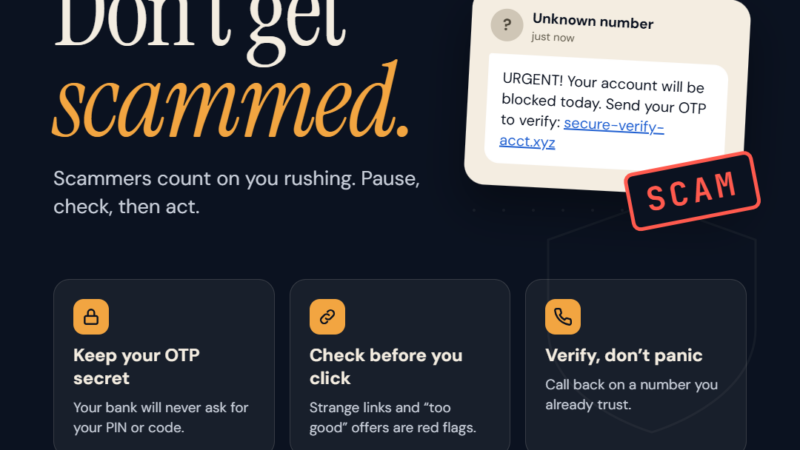
Bank customers across Nigeria are being targeted by text messages that look like they come from their bank and urge them to “verify” or “secure” their accounts. The link in the message leads to a fake internet banking site that copies the real one. On 26 October, the Association of Corporate Communication and Marketing Professionals in Banks (ACAMB) issued a public warning about this kind of scam. This alert is for anyone who banks on a phone or computer, and for business owners whose staff handle company accounts.
What is happening
According to ACAMB, a fraudulent text message impersonating several Nigerian banks has been circulating. The message was debunked by the fact-checking group FactCheckAfrica. Its link sends people to a cloned internet banking website designed to capture:
- online banking usernames and passwords,
- Bank Verification Numbers (BVNs),
- card details, and
- transaction PINs.
ACAMB President Jide Sipe said fraudsters are using more sophisticated methods to imitate trusted bank brands, so that fake messages are hard to tell apart from real ones. He stressed that no bank in Nigeria will ask customers to confirm a PIN, password, OTP or BVN through a link.
Part of a wider pattern
This is not an isolated campaign. ACAMB pointed to fake bank alerts, cloned websites and impostor social media accounts as common tactics. In June, Wema Bank paused its activity on X after reports of more than 70 fake accounts impersonating it and its ALAT platform. Separately, Access Bank warned customers in August about fake promotions, shopping deals and gift card offers designed to harvest card details and one-time passwords.
How the scam works, step by step
- The bait: you receive an SMS that appears to come from your bank. It may claim your account has been restricted, needs to be updated, or will be blocked unless you act today.
- The personal touch: some messages include your name, phone number or the bank’s logo. As ACAMB notes, these details make a scam look real, but criminals often obtain them from leaked data.
- The cloned site: the link opens a page that looks just like your bank’s internet banking login, with the same colours, logo and layout.
- The harvest: you are asked for your login details, then your BVN, card number and PIN, and often a one-time password sent to your phone.
- The theft: the criminals use those details on the real banking platform to move money, add new beneficiaries or take over the account.
Warning signs to watch for
- Unsolicited messages asking you to verify, reactivate, update or secure your account.
- Urgency and threats, such as “your account will be blocked within 24 hours”.
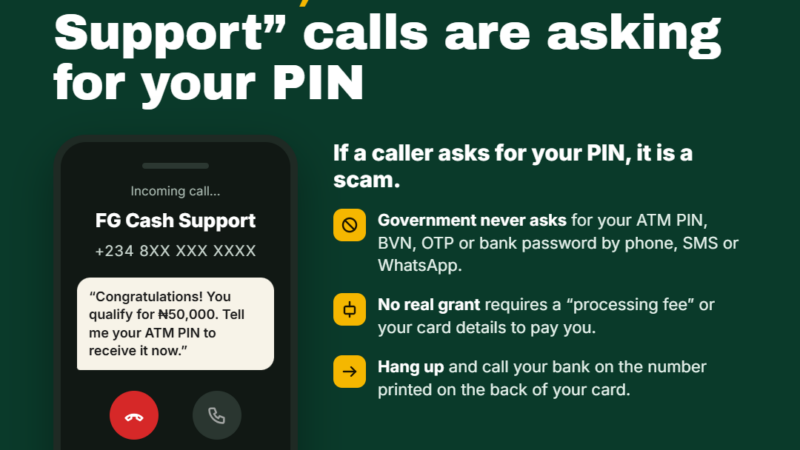
- Any request for your PIN, password, OTP, CVV or BVN. This alone means it is a scam.
- Links in text messages that claim to be from your bank. Banks direct you to their official app or website rather than asking you to log in through a texted link.
- Web addresses that are slightly off, with extra words, misspellings or unusual endings.
- Offers that seem too good to be true, including promotions or gift cards that require card details to “claim”.
- Polished writing. Do not be reassured by good grammar. CISA notes that AI tools now help scammers write clean, convincing messages.
How to protect yourself
- Do not click links in unexpected banking messages. Open your bank’s official app, or type the bank’s web address yourself.
- Never share your PIN, password, OTP, CVV or BVN in response to a message or call, however official it looks.
- Verify through official channels. Use your bank’s app, its verified social media accounts or the customer service numbers printed on your card or published on its official website.
- Pause before acting. Scammers rely on panic. Take a moment to check before you respond.
- Turn on transaction alerts and app notifications so you notice any unusual activity quickly.
- For businesses: brief staff who handle company accounts, and make it a rule that nobody logs in to banking through links in texts or emails.
What to do if you are a victim
- Contact your bank immediately through its official app or customer service line. Ask it to secure your account and block any affected cards.
- Use your bank’s emergency block option if it has one. Several Nigerian banks, including Access Bank, publish a USSD code that lets you block a compromised account from any phone. Look up your own bank’s official code on its website or app now, before you need it.
- Change your internet banking password and PIN from a trusted device, and change the password on any other account that used the same one.
- Review recent transactions and beneficiaries and report anything you do not recognise.
- Report the scam to your bank and to the police or the EFCC, and keep screenshots of the message and the fake website address.
What you should do
- Delete any banking text that asks you to click a link and “verify” your details.
- Save your bank’s official customer service number in your phone today.
- Share this alert with family members, especially older relatives and anyone new to mobile banking.
- Remember the rule: no genuine bank will ask for your PIN, password, OTP or BVN through a link.
Sources
- Nairametrics: ACAMB advises bank customers against phishing scams
- TVC News: ACAMB warns Nigerians against clicking suspicious banking links
- Legit.ng: Nigerian bank issues fresh fraud alert
- CISA: Recognize and Report Phishing
Featured image: Photo: “Power Equations in Mobile Banking Platforms” by Gauravonomics, CC BY 2.0, via Openverse — source
Have you come across this scam?
Was this article helpful?

adminVerified expert
Cybersecurity Analyst — 20 years experience
Federal Capital Territory (Abuja)
Credentials: MCPN, MNCS, IAENG | System Analyst · Web Developer · CEH · CC · CDST
Got expertise to share? Write for us →