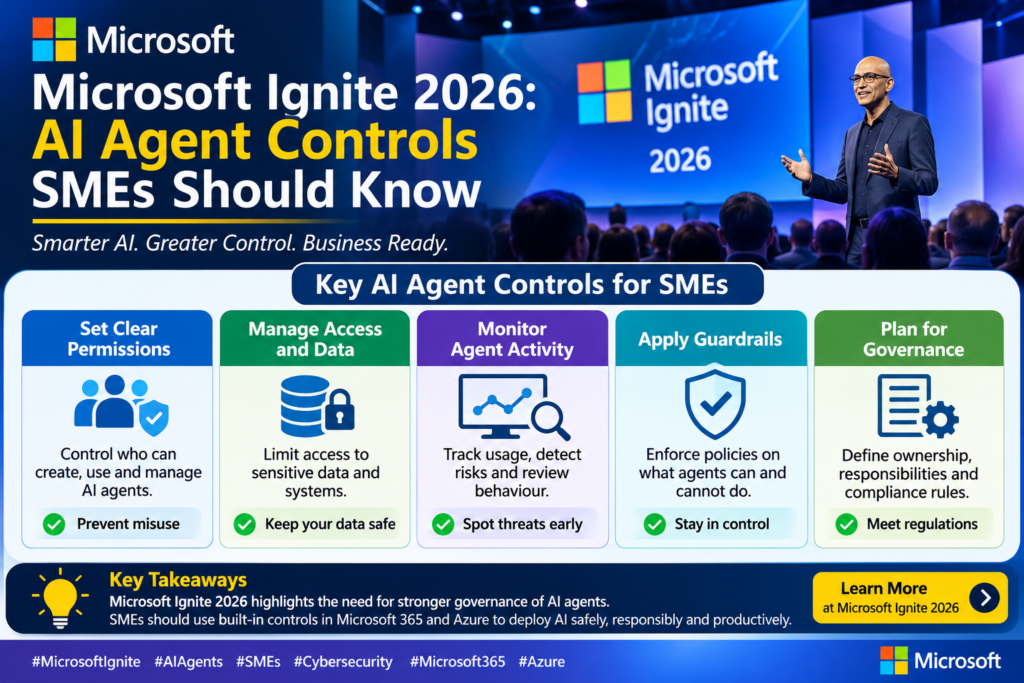
Microsoft Ignite 2026: AI Agent Controls SMEs Should Know
Microsoft's Ignite 2026 put AI agents everywhere, but the most useful news for businesses was about containing, governing and paying for them. Here is what matters.

In this article
AI “agents”, software that can take actions on your behalf rather than just answer questions, dominated Microsoft’s Ignite 2026 conference, which opened on 17 November. Behind the keynote headlines was a quieter but more useful theme for businesses: how to keep those agents contained, governed and paid for. This article cuts through the announcements and explains what matters for IT managers and small and medium-sized businesses (SMEs) in Nigeria and across Africa that use Windows and Microsoft 365.
The big picture: agents everywhere
Microsoft chief executive Satya Nadella’s Ignite post described a unified Copilot experience that combines chat, a “Cowork” mode, a “Code” mode for building simple apps and dashboards, and “Autopilot”, an autonomous agent that keeps work moving in shared workspaces. Microsoft also announced Copilot Workspaces, where people, their agents and colleagues share context on a common goal, and role-specific Copilot extensions for sales, legal, finance and service teams.
Microsoft did not give availability dates or prices for most of these items in its main announcement, and it pointed customers to its “Book of News” for details. For SMEs, the practical message is not to rush into new agent features, but to get the controls ready before you do.
Keeping agents in a box: Execution Containers
One of the most concrete announcements was on the Windows side. Microsoft Execution Containers (MXC), generally available on Windows 11 since October, give each AI agent a contained environment with file and network rules enforced while it runs. In plain terms, an agent can be allowed to touch one project folder and one website, and nothing else.
- Learning and permissive modes are now generally available. They let IT watch what an agent tries to do before switching on hard restrictions.
- Process container improvements, in preview, add protected workspaces, limits on which services and networks an agent can reach, and identity proof for agents.
- Local micro virtual machines, still experimental, add hardware-backed isolation for higher-risk work.
Microsoft said OpenAI has MXC on by default in its Codex tool, and more than 20 software makers, including Anthropic, Box, Perplexity and Replit, are adopting it.
Why it matters
An AI agent with access to your whole PC is a security risk if it is tricked by a malicious document or web page into doing something harmful. Containment limits the damage when that happens. If your staff are starting to use AI coding or automation tools, ask whether those tools run inside a container like this.
Governing agents: Agent 365
Microsoft’s Agent 365 is a control plane that applies identity, security and management rules to AI agents. Microsoft says more than 50 million agents are now registered in it, and its governance now extends to agents running locally on Windows PCs, working with Entra, Intune, Defender and Purview.
A new Agent 365 Business Analytics feature tracks AI spending and links it to outcomes. Microsoft did not say when it will be available. For businesses worried about runaway AI bills, this kind of visibility will be worth watching for.
Agents that use a computer for you: Windows 365 for Agents
Windows 365 for Agents gives agents secure Cloud PCs, joined to Entra and managed in Intune, where they can operate the screen, including older apps with no programming interface. It is available as a computer-use tool in Copilot Studio, is now billed through Copilot Credits alongside other Copilot services, and is due to arrive in Microsoft Foundry in preview early next year. Running agents on a separate cloud PC, rather than an employee’s laptop, is a sensible way to keep their actions away from personal files and sessions.
Copilot on Copilot+ PCs
Microsoft also previewed new Copilot abilities on Copilot+ PCs, described as “coming soon” without a date. With the user’s permission, Copilot will be able to use open files, apps and device state as context, carry out plain-language file tasks such as finding, moving and renaming files, run a read-only diagnostic scan to explain errors and slowdowns, and use on-device AI models, switching to the cloud only when a task needs it.
For small offices, the local diagnostics feature could be the most practical, since it may help staff understand common PC problems before they call for support.
Security foundations announced alongside the AI news
Not everything at Ignite was about AI. Microsoft made Windows administrator protection generally available, which lets admins work as standard users and approve admin tasks one at a time with Windows Hello. It also made generally available a Windows endpoint security platform that lets security vendors move key protections out of the Windows kernel, which limits the impact if a security product fails. Named partners include Bitdefender, CrowdStrike, ESET, SentinelOne, Sophos and Trellix. Windows Autopatch, used on more than 150 million devices, is gaining more update controls and a goal of one reboot per month.
What SMEs should do now
- Write a simple AI agent policy. Decide which agents staff may use, what data they may access and who approves new ones.
- Prefer contained agents. When choosing AI coding or automation tools, ask vendors whether they run in a sandbox or container on Windows.
- Start in watch mode. Where tools support learning or permissive modes, observe agent behaviour before granting wider access.
- Control costs early. Agree a monthly AI budget and set usage alerts in every AI and cloud account.
- Fix the basics first. Turn on administrator protection, keep Windows updated and make sure multi-factor sign-in is enforced. AI agents inherit the security of the PCs and accounts they run on.
- Wait for details. Check Microsoft’s official documentation for pricing, licensing and availability in your region before committing to new features.
Ignite 2026 made clear that AI agents are coming to everyday business software. The organisations that benefit most will be those that put guardrails in place first.
Sources
Was this article helpful?

adminVerified expert
Cybersecurity Analyst
Federal Capital Territory (Abuja)
Credentials: MCPN, MNCS, IAENG | System Analyst · Web Developer · CEH · CC · CDST
Got expertise to share? Write for us →