PHP Fixes Seven Critical RCE Flaws: Update to PHP 8.5.13 or 8.4.28
PHP's 19 November security releases fix seven critical remote code execution flaws, including an incomplete fix for the exploited PHP2Shell bug. Here is what site owners and developers should update.

In this article
If your website, online shop or business app runs on PHP, and most WordPress, Joomla, Drupal and Laravel sites do, you have an update to schedule this week. On Thursday, 19 November 2026, the PHP project shipped security releases for every supported branch, fixing seven vulnerabilities rated critical that could lead to remote code execution (RCE), plus ten more of high and medium severity.
This article explains what was fixed, who is most exposed, and the practical steps site owners, developers and hosting customers should take.
What happened
PHP releases security updates on a regular four-week cycle. A day before this round, the PHP security team warned that it would land between 14:00 and 14:30 UTC on 19 November and that the highest severity was critical. The team also noted that the critical issues need either non-default configuration or less common setups to be exploitable. That is reassuring, but it is not a reason to wait: many shared hosts and custom servers run exactly those “uncommon” settings.
The fixed versions are:
- PHP 8.5.13 (security release for the 8.5 branch)
- PHP 8.4.28
- PHP 8.3.37
- PHP 8.2.36
The same day the project also released PHP 8.6.0, the new major version, which includes all of the critical fixes. According to SecurityWeek’s summary of the advisories, the 8.4, 8.3 and 8.2 releases contain patches for most, not all, of the issues, so the newest branches are the safest place to be.
The seven critical flaws in plain language
Most of the critical bugs sit in PHP’s session handling, the feature that remembers who a visitor is between page loads. In each case, the worst outcome is that an attacker runs code with the same rights as the PHP worker process, which usually means full control of the website’s files and database credentials.
Session handling bugs
- CVE-2026-115560: in the session upload progress feature. Data written with one session format can be read back with another, so part of a session key may be treated as a serialized object. With a suitable “gadget chain” in the application, that becomes code execution. PHP had already issued an informational advisory about this feature in October.
- CVE-2026-129481: a use-after-free when session shutdown is interrupted. PHP describes it as an incomplete fix for CVE-2026-109619, one of the two “PHP2Shell” flaws patched in October that are now widely exploited. PHP 8.2 is not affected.
- CVE-2026-129182: further exploitation paths for the same PHP2Shell bug, though PHP says code execution through these paths has not been demonstrated.
- CVE-2026-126714: if an attacker can influence session contents and interrupt the write to a session file, attacker-controlled data may be deserialized the next time the session opens.
Other critical bugs
- CVE-2026-129474: a use-after-free in PHP 8.5 and later that an unauthenticated attacker could use to trigger a fatal error and potentially run code, depending on the application.
- CVE-2026-129289: a PHP-FPM request smuggling flaw. PHP may fail to discard unread bytes of a request body before reusing a persistent PHP-FPM or LSAPI connection. In PHP-FPM, those leftover bytes can be shaped into a separate request that bypasses front-end routing and runs attacker-controlled PHP code.
- CVE-2026-129496: a timezone cache bug triggered by writing diagnostics to a PHP error log during startup, which can corrupt memory, crash workers and potentially allow code execution on affected configurations.
Who should worry most
Every PHP site should update, but these groups should move first:
- Sites behind NGINX or another proxy using PHP-FPM, the most common modern setup, because of the request smuggling bug.
- Sites still recovering from PHP2Shell. If you patched in October, you are not finished: one of this month’s fixes closes a gap left by that patch.
- Apps that store rich data in sessions or use several session serialization formats, such as custom business portals and e-commerce plug-ins.
- Anyone on PHP 8.1 or older. Those versions no longer receive security releases at all, so they get none of these fixes.
For Nigerian and African SMEs, the most common risk is not knowing which PHP version your site runs. Many businesses pay a web designer once and rely on a shared host after that. If nobody is clearly responsible for updates, this is the week to assign the job.
How to check your PHP version
- Hosting control panel: in cPanel, look for Select PHP Version or MultiPHP Manager; in Plesk, open the domain’s PHP Settings.
- WordPress: go to Tools > Site Health > Info > Server to see the PHP version.
- Your own server: run
php -von the command line, and check the PHP-FPM service version too, since it can differ from the command-line version.
Note that Linux distributions often backport fixes into their own package numbers, so a version string alone may not tell the full story. Check your distribution’s security notices if you install PHP from its repositories.
What you should do
- Update now to PHP 8.5.13 or 8.4.28 where possible, or at least 8.3.37 or 8.2.36. Ask your host when they will roll out the new builds if you cannot update yourself.
- Test on a staging copy first if you plan to jump to PHP 8.6.0, since a major version can break older plug-ins and themes.
- Restart PHP-FPM after updating so the new binaries are actually in use.
- Review session settings. If you do not use upload progress tracking, PHP’s earlier advisory suggests turning session.upload_progress.enabled off.
- Check for signs of past compromise if you were slow to apply the October PHP2Shell patches: unexpected admin users, unknown PHP files in upload folders and odd scheduled tasks.
- Keep a backup of files and database before every update, stored somewhere other than the web server.
Sources
- SecurityWeek: PHP Patches Seven Critical RCE Vulnerabilities
- PHP.net: PHP 8.6.0, 8.5.13, 8.4.28, 8.3.37 and 8.2.36 release announcements
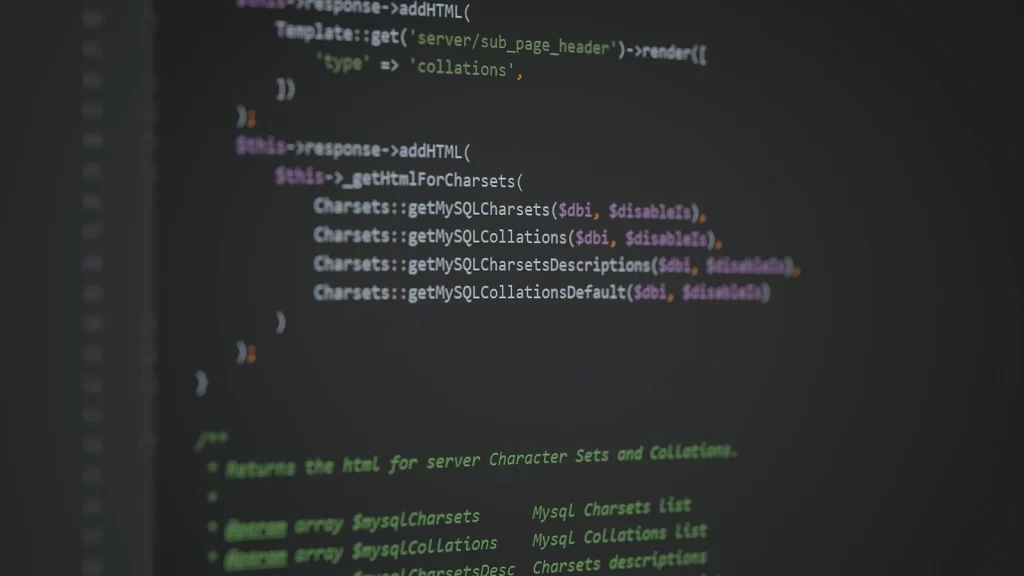
Featured image: Photo: “PHP Code” by Yuri Samoilov, CC BY 2.0, via Wikimedia Commons — source
Was this article helpful?

adminVerified expert
Cybersecurity Analyst
Federal Capital Territory (Abuja)
Credentials: MCPN, MNCS, IAENG | System Analyst · Web Developer · CEH · CC · CDST
Got expertise to share? Write for us →