
How to Choose a UPS for Office PCs, Routers and Servers
Power cuts and surges can corrupt files and damage equipment. This guide explains UPS types, sizing in watts and VA, runtime and features to look for.

In this article
Power cuts, voltage drops and surges are a fact of life for many offices and shops across Nigeria and the wider region. Each sudden shutdown risks lost work, corrupted files and damaged equipment. An uninterruptible power supply (UPS) bridges the gap between the grid going off and your generator or inverter taking over, or gives you time to save and shut down safely. This guide explains what to look for so you buy the right size and type for your desk, server corner or network cabinet.
Key takeaways
- Size the UPS from the watts your equipment draws, then add 20 to 25 percent headroom.
- Choose line-interactive for most office PCs, and online (double conversion) for servers and critical systems.
- Modern PCs with Active PFC power supplies work best with a pure sine wave UPS.
- Small office UPS units typically give about 5 to 20 minutes on battery: enough to shut down, not to work through a long outage.
- Plan for battery replacement: lead-acid batteries typically need replacing every 2 to 5 years.
What a UPS does (and does not do)
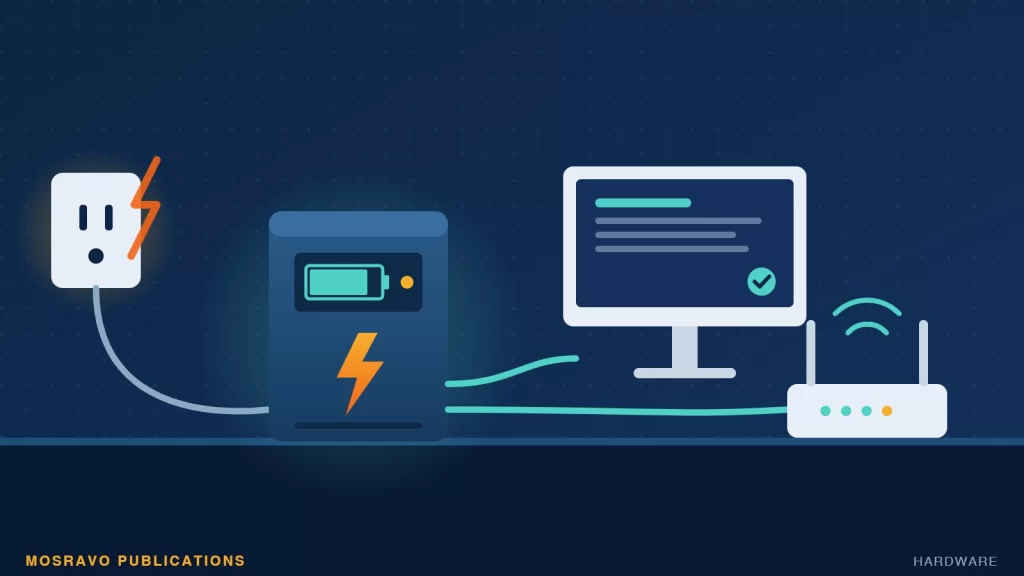
A UPS sits between the wall socket and your equipment. When mains power fails or strays outside safe limits, it switches to its internal battery so devices keep running. Better models also filter surges and correct low or high voltage. A plain surge protector, by contrast, gives no power at all during an outage.
A small UPS is not a replacement for a generator or solar inverter. Think of it as the cushion that stops your computers and network from crashing in the seconds or minutes before backup power kicks in, or while you shut down cleanly.
The three main types of UPS
Standby (offline)
Passes mains power straight through and switches to battery only when power fails. There is a short transfer delay that can interrupt a running computer, and some budget models skip filtering and surge suppression. Eaton suggests standby units suit monitors, docking stations, modems and routers. It is the cheapest option.
Line-interactive
Adjusts and filters incoming power and switches to battery faster than standby units. Many include automatic voltage regulation (AVR), which corrects voltage without draining the battery and helps preserve battery life. Schneider Electric describes line-interactive units of 650 to 1,500 VA as the typical home and office choice, and Eaton recommends them for PCs and sensitive electronics where power is unstable.
Online (double conversion)
Runs your equipment from the inverter all the time, fully isolating it from grid fluctuations, with no transfer time. Schneider Electric calls this the gold standard for servers and critical loads. These units are usually larger and cost more.
Sizing: VA, watts and headroom
UPS units list two ratings. Watts is the real power your devices use, and is the figure that matters most. VA (volt-amperes) is usually higher; the ratio between them is the power factor, typically 0.6 to 0.9.
- List everything you want on battery: PC, monitor, router, switch, NAS or small server.
- Add up their wattage. Manufacturer calculators, such as APC’s, can help.
- Add 20 to 25 percent headroom for peaks and future equipment.
- Check that both the UPS’s watt and VA ratings exceed your total. Schneider Electric’s example: a 500 W load divided by a 0.8 power factor needs at least 625 VA, before headroom.
Runtime: how long will it last?
Runtime is the number of minutes the UPS can keep your equipment running on battery. The more you connect, the shorter it gets. Home and office units typically give 5 to 20 minutes. If you need longer, some models accept external battery packs. To stretch runtime, put only essential devices on battery-backed outlets and use the surge-only outlets for less important items.
Features worth paying for
- Pure sine wave output. Budget units often produce a stepped or simulated wave on battery. Puget Systems warns this can stress or damage PCs with Active PFC power supplies, which most modern ones have.
- AVR. Useful where voltage regularly sags or spikes.
- Shutdown software and a USB port. Lets the UPS tell your computer or server to save work and shut down automatically, even if no one is in the office.
- Network and data line protection. RJ45 or RJ11 jacks protect against surges coming down network or phone lines.
- User-replaceable batteries and a clear warranty covering the battery.
- LCD display and audible alarm so you can see the load and know when the unit is on battery.
Choosing by budget level
- Entry level: a small standby unit for a router and modem so internet stays up through brief outages.
- Mid-range: a line-interactive, pure sine wave unit for one or two workstations, with shutdown software.
- Business: an online or rackmount line-interactive unit for servers, network cabinets and storage, ideally with network management.
Care and maintenance
- Give the UPS space to vent heat; do not box it into a tight cabinet.
- Lead-acid batteries typically need replacement every 2 to 5 years. Lithium options last longer, with some rated for 8 to 10 years.
- Test the UPS periodically by simulating an outage during quiet hours.
- Do not overload battery outlets with high-draw items that are not essential.
- Replace the battery promptly when the unit warns you, rather than waiting for the next outage to find out.
Next steps
List the devices that must never lose power suddenly, total their wattage, and add a quarter for headroom. Then pick the UPS type that matches how critical they are: line-interactive with pure sine wave for most offices, online for servers. Finally, install the shutdown software and test it, so your systems protect themselves even when no one is there.
Sources
Was this article helpful?

adminVerified expert
Cybersecurity Analyst
Federal Capital Territory (Abuja)
Credentials: MCPN, MNCS, IAENG | System Analyst · Web Developer · CEH · CC · CDST
Got expertise to share? Write for us →